
The challenge
This was my first UI project in the bootcamp. In the classes before, we talked a lot about UI principles and learned many theoretical concepts. Now, as part of a pretend project, we had to create a new feature for a well-known app. I chose to create a birthday feature for WhatsApp.
Design Thinking process
Research
At the beginning of my design process I conducted research to understand user expectations for the feature. To do this, I interviewed 8 people who use WhatsApp on a daily basis to gather as much insight and qualitative data as possible.
In the interview, I learned that people really like the idea. The majority of the interviewees could only vaguely recall the month of their friends' birth, but not the exact date. Some respondents who knew the exact date of birth often forgot to send congratulations on that day. Also, I observed that the majority did not wish to congratulate every person in their contact list, as some contacts were considered more valuable than others.
Define
After looking at other similar services like Hip and Facebook, I wrote down Job Stories to figure out why people use them and to better understand what I want my product to do. Here's a short part:
- When someone’s birthday is approaching, I want to have a reminder so that I can congratulate this person.
- When it’s my friends birthday, I want to send a personal message so that I can be a good friend.
- If I forgot to congratulate someone on their birthday, I want the app to do that for me so I have a clear conscience.
Ideate
I had an idea, so I made a User Flow to figure out the steps a user would take to send a birthday message. This also helped me later when organizing the screens for the prototype.
.png)
Prototype
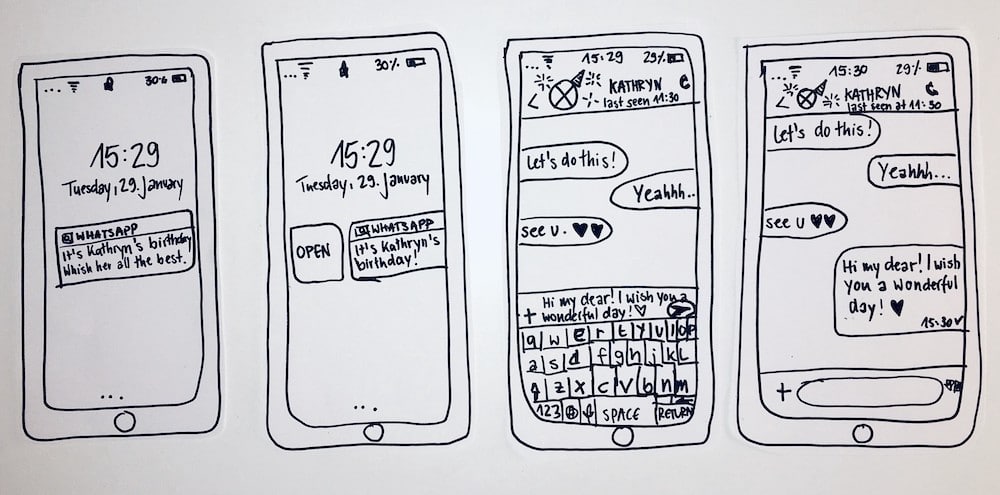
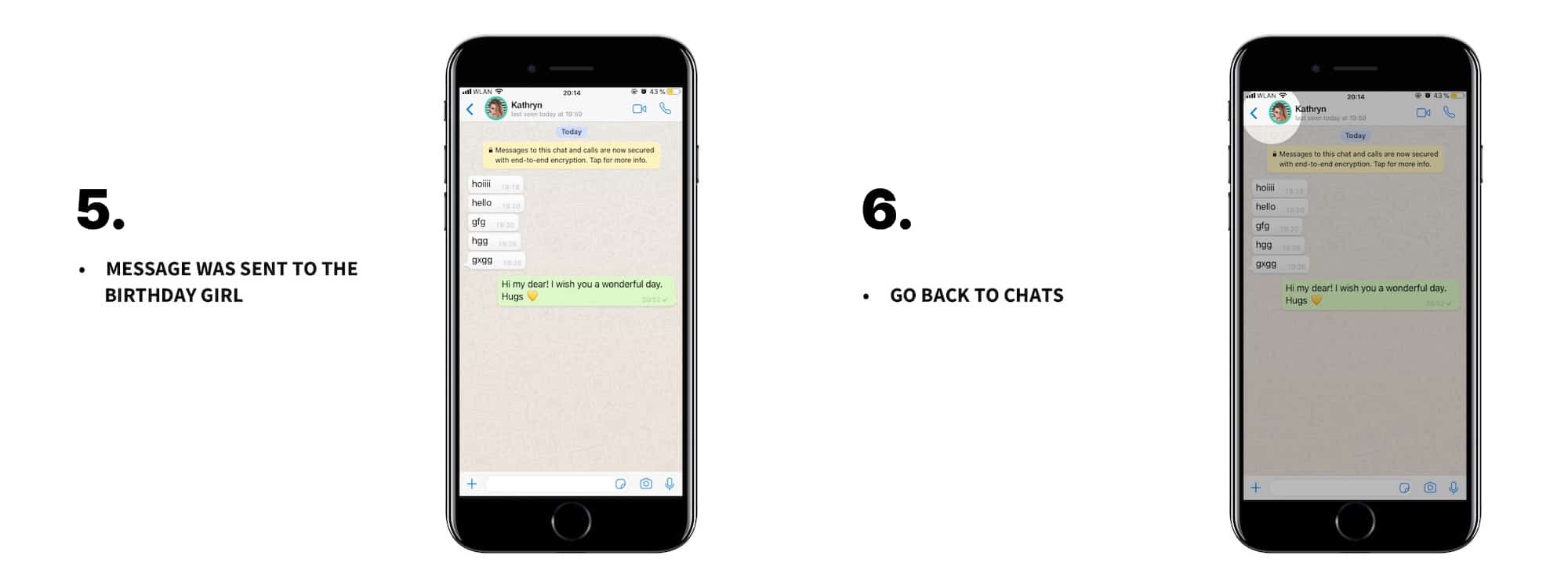
I began with a paper prototype. With minimal effort, I created a testable product and could quickly make adjustments after testing. My idea is that the user receives a notification from WhatsApp as soon as someone from their contact list has a birthday. Upon opening WhatsApp, the user is directed straight to the chat with the person, and a pre-scripted birthday message appears in the input field. Now, the well-wisher can easily send the message or make some adjustments beforehand.
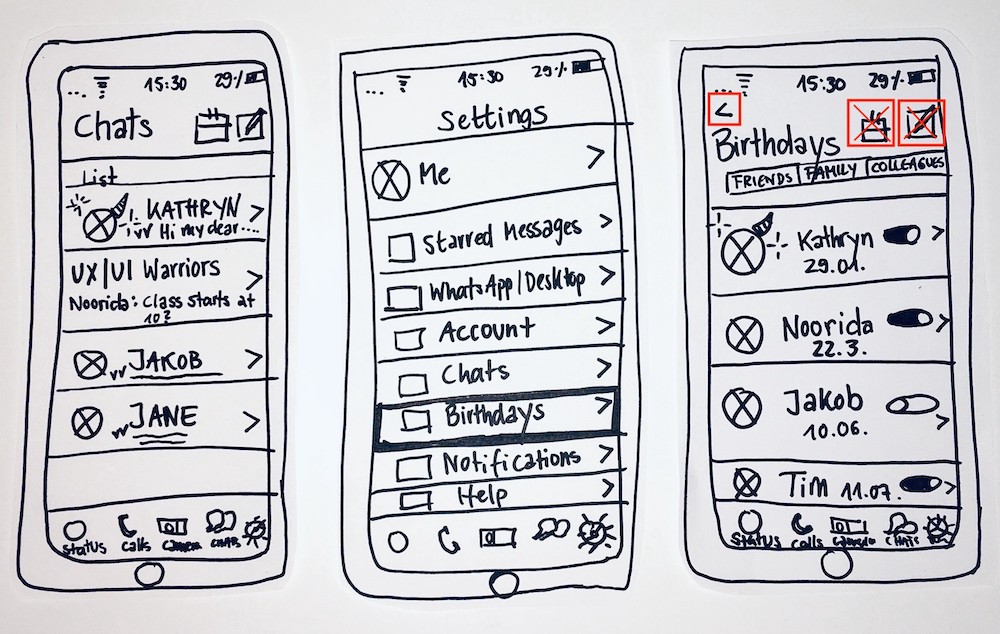
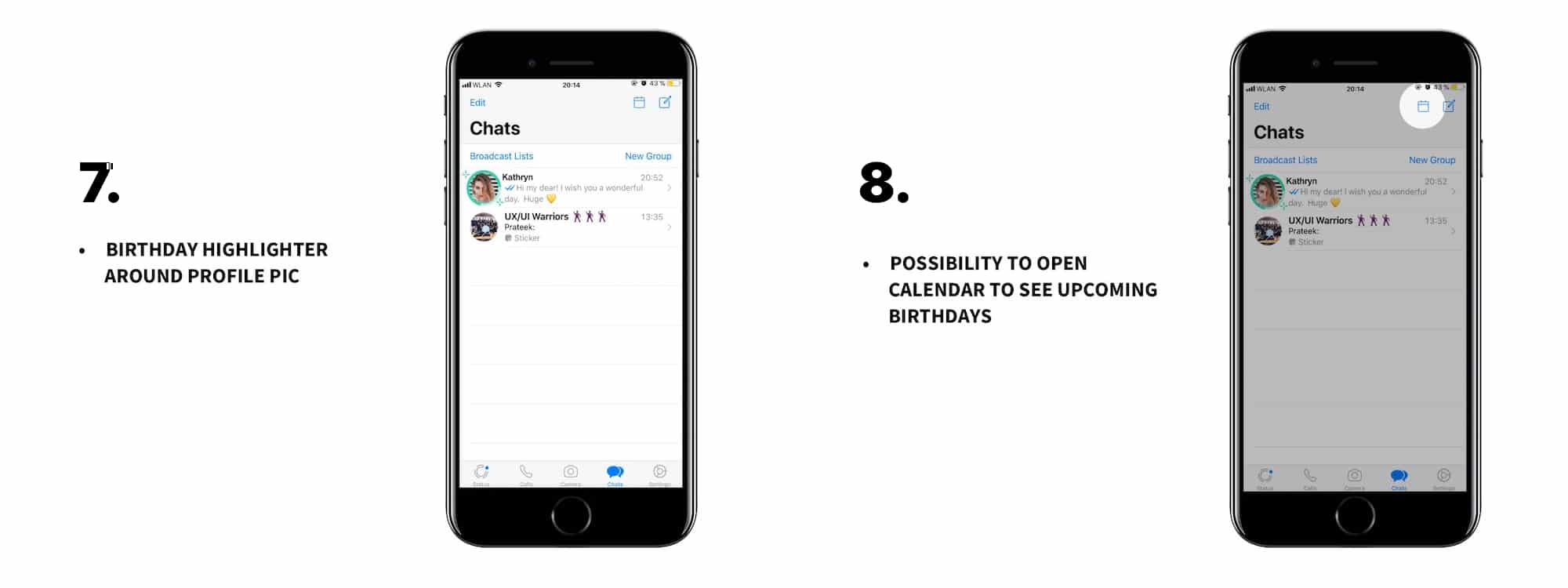
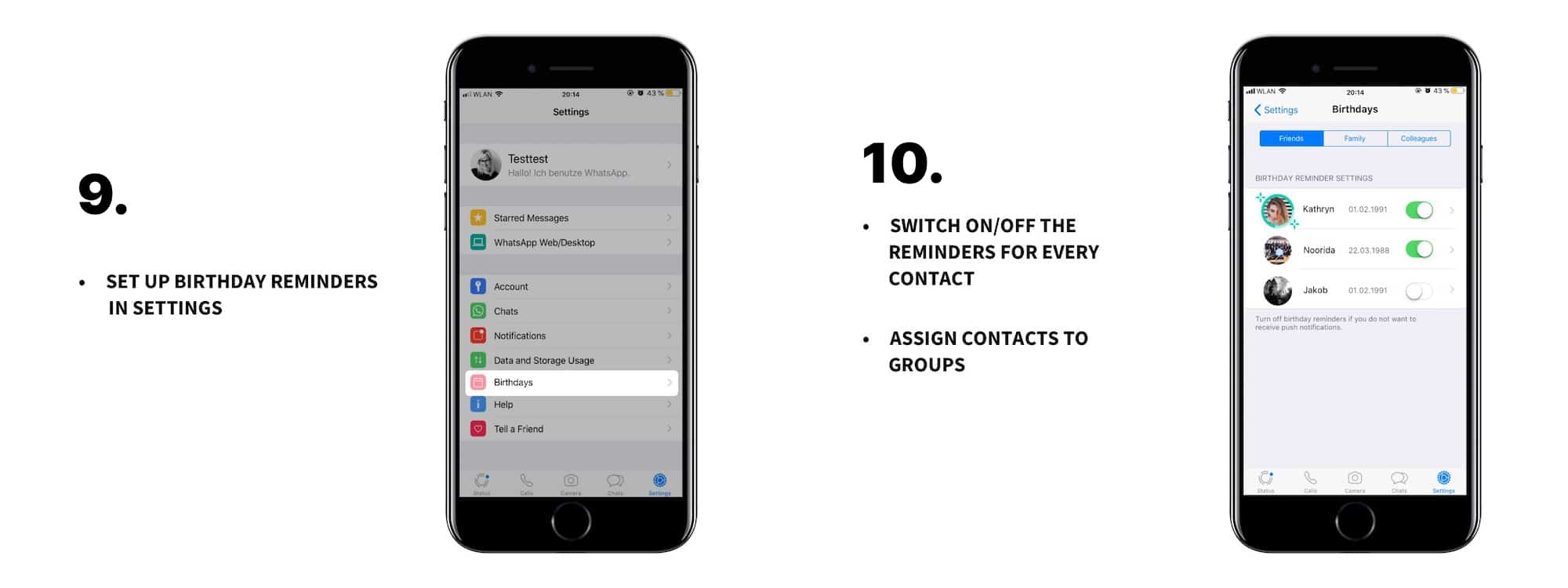
In the chat overview (left screen in the image above), the profile picture will be highlighted to indicate that it is the person's birthday today. Additionally, there is a birthday calendar displaying all upcoming birthdays of the contacts. Within the settings (second and third screens in the picture above), users have the option to enable or disable birthday reminders for each contact and assign individuals to specific groups. Furthermore, customization of the default birthday message is possible by clicking on the contact's profile.
Testing and iteration
After conducting testing, I implemented some changes. Two icons were found to be misplaced within the birthday settings. The birthday calendar icon and the icon to start a new chat were determined to be unnecessary in this context, causing confusion for the user. I have revised the paper prototype (as indicated by the red marks) and compiled all the components for the interface inventory. Then, I started the design of the high-fidelity prototype using the iOS design.
High-fidelity screens
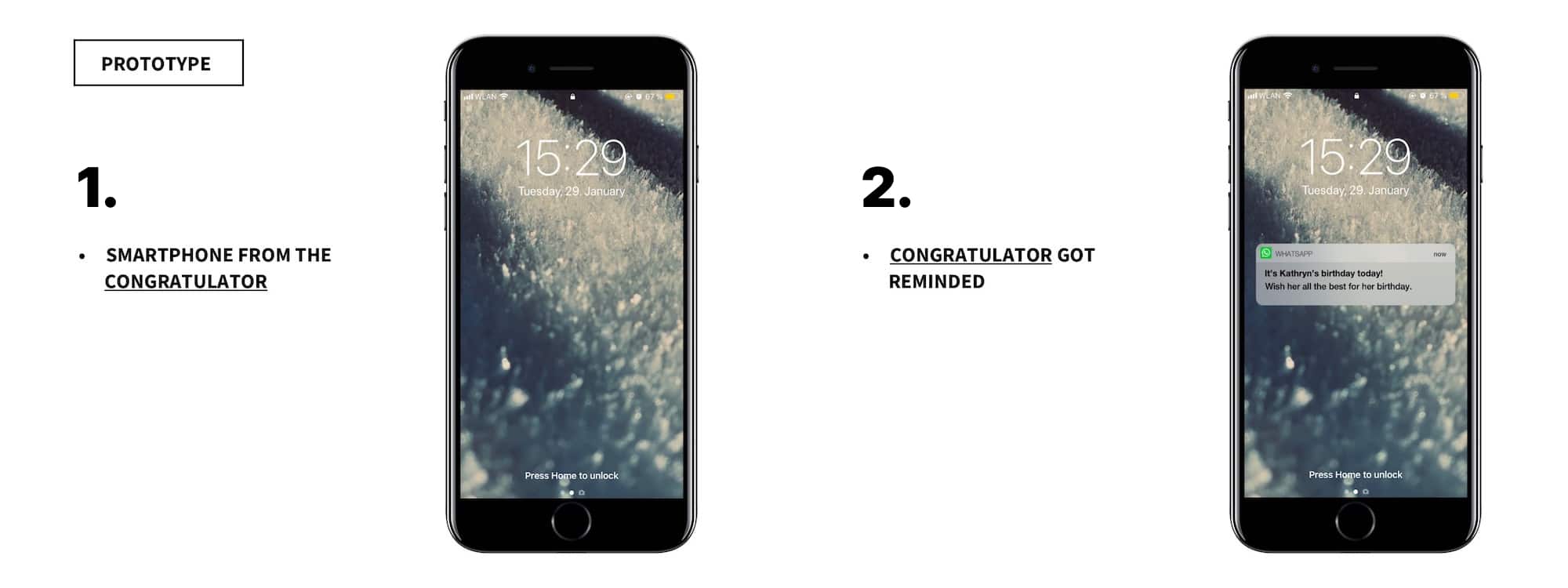
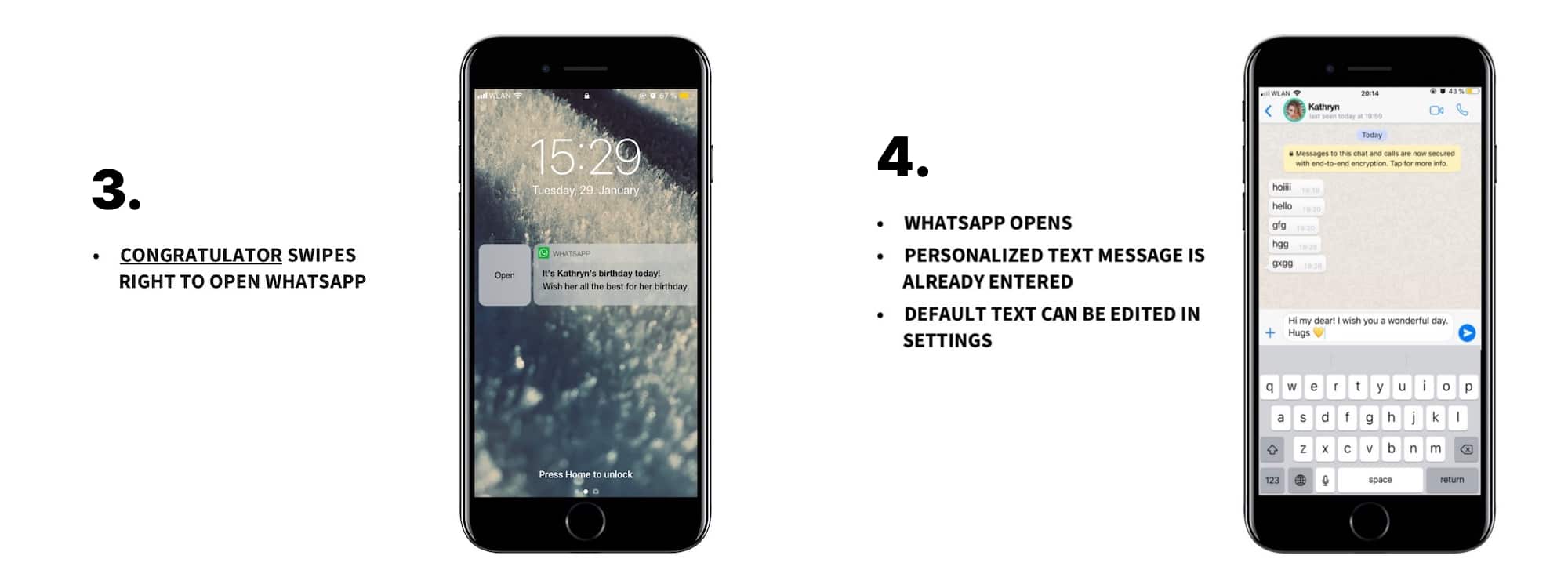
Interactive prototype
Next steps
In the next steps, I would also design the feature in Material Design. Additionally, I'd like to introduce a new feature that automatically sends a message (at a preset time) to the birthday person if someone skips the birthday reminder and then forgets to congratulate. However, before proceeding, I need to ascertain if this feature is necessary. If it is, it's crucial to note that the feature must be personalized since birthday wishes are a personal matter that everyone should feel comfortable with.